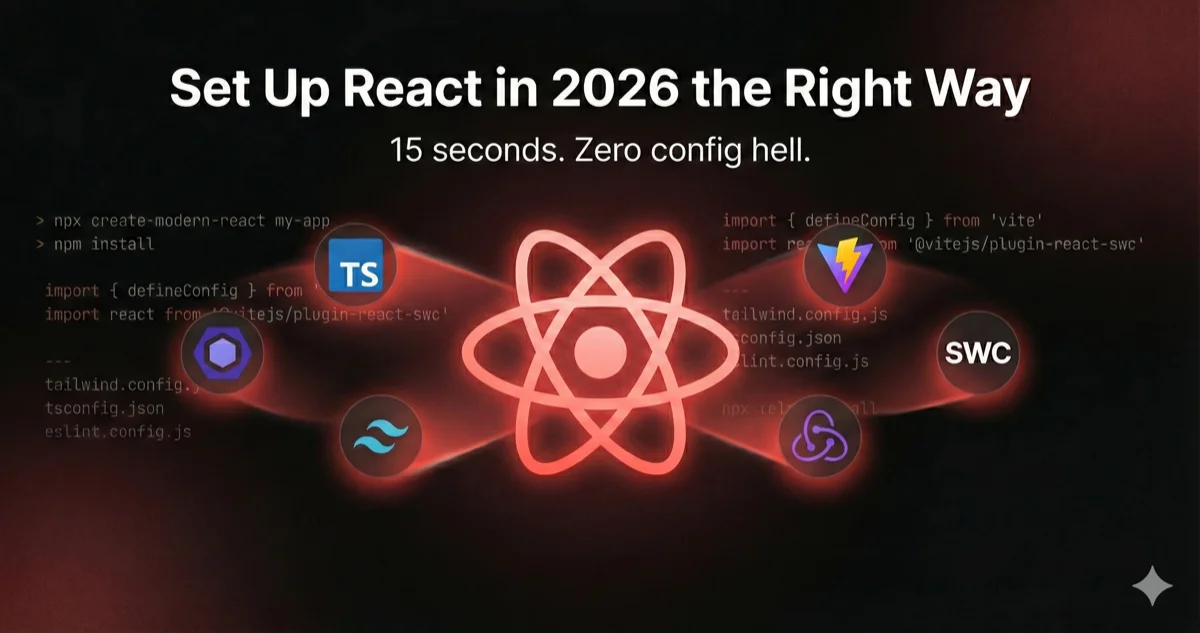
npx create-modern-react my-app gives you React 19 + TypeScript strict + Vite/SWC + Tailwind + shadcn/ui + routing + API layer + linting + 8 AI dev skills — in 15 seconds. No config hell. GitHub repo
The Friday Night Problem
It's Friday night. You had an idea. A good one — the kind that makes you close Netflix and open VS Code.
You open the terminal. npm create vite@latest — great start. Then you need Tailwind. Okay, PostCSS config. Then ESLint — which plugins again? And path aliases... why does ~/components resolve to nothing? You copy a tsconfig.json from your last project, but it still has "strict": false because you were "going to fix that later."
45 minutes gone. You haven't written a single line of product code.

In my experience, a full setup often takes 40–70 minutes.
47 minutes isn't an exaggeration. That's with experience, knowing which packages to install, and having configs to copy from. For someone doing it the first time? Double it.
But before I show you the tool — let me explain what a production-ready React stack actually looks like.
The Stack (And Why These Choices)
Here's what a modern React project needs to ship real products — not just a demo:
- Vite 7 + SWC: SWC compiles your TypeScript and JSX 20x faster than Babel. Zero Babel in your pipeline. Fast HMR, fast builds, no config headaches.
- Tailwind CSS v4: CSS-first configuration — no
tailwind.config.js, just@import "tailwindcss"and@themeblocks in your CSS. Dark mode, CSS variables for theming, and the full shadcn/ui design system built on top. - TypeScript strict mode: Non-negotiable. If your
tsconfig.jsondoesn't have"strict": true, you're writing JavaScript with extra steps. - ESLint 9 + Prettier: Flat config with 25+ rules covering TypeScript, React hooks, and unused code detection. One less thing to argue about in PR reviews.
- shadcn/ui: Not a component library you install — it's components you own. Button, Card, Input, Skeleton, Separator. Built on Radix, styled with Tailwind, customizable because the source is in your repo.
Here's what a clean Vite config looks like with this stack:
// vite.config.ts — SWC compiler, Tailwind v4, SVGR, gzip, ~/alias
import { defineConfig } from 'vite';
import react from '@vitejs/plugin-react-swc';
import tailwindcss from '@tailwindcss/vite';
import svgr from 'vite-plugin-svgr';
import compression from 'vite-plugin-compression';
import path from 'path';

export default defineConfig({
  plugins: [
    react(),             // SWC — 20x faster than Babel
    tailwindcss(),       // Tailwind v4 — CSS-first, zero config
    svgr(),              // import Logo from './logo.svg?react'
    compression({        // gzip production builds automatically
      algorithm: 'gzip',
      threshold: 1024,
    }),
  ],
  resolve: {
    alias: { '~': path.resolve(__dirname, './src') },
  },
  build: {
    rollupOptions: {
      output: {
        manualChunks: {
          vendor: ['react', 'react-dom'],
          router: ['wouter'],
        },
      },
    },
  },
  esbuild: {
    // Strip console.log in production
    drop: process.env.NODE_ENV === 'production'
      ? ['console', 'debugger'] : [],
  },
});
SWC handles your JSX transforms. Tailwind v4 runs as a Vite plugin — no PostCSS config, no tailwind.config.js. SVGR lets you import SVGs as React components. Gzip compression runs automatically on production builds. Console statements get stripped. Vendor chunks are split for better caching. This is what the tool actually generates.
Now here's the problem — setting all of this up correctly still takes 47 minutes.
What 47 Minutes of Config Looks Like
Here's what "just set up a modern React project" actually means:
npm create vite@latest my-app -- --template react-ts
cd my-app && npm install

# Now the real work begins
npm install -D tailwindcss @tailwindcss/vite
npm install -D eslint @eslint/js typescript-eslint globals
npm install -D eslint-plugin-react-hooks
npm install -D prettier prettier-plugin-tailwindcss
npm install wouter axios react-hot-toast lucide-react
npm install clsx tailwind-merge class-variance-authority
npm install @radix-ui/react-slot
npm install -D vite-plugin-svgr vite-plugin-compression

# Then configure: vite.config.ts, eslint.config.js, .prettierrc,
# tsconfig.json paths, index.css with @theme tokens,
# folder structure, error boundaries, Axios interceptors,
# theme provider, toast system, custom hooks, shadcn/ui components...
By the time you're done, you've copied configs from three different blog posts, your path aliases don't resolve, and you've mass-installed packages that may or may not be compatible with each other.
Manual Setup
- 47 minutes of config copying
- 12+ npm install commands
- 6 config files to write by hand
- Path aliases that don't resolve
- Incompatible package versions
- No error boundary, no toast system
create-modern-react
- 15 seconds, one command
- All dependencies resolved
- Every config pre-wired
- ~/aliases work immediately
- Tested compatible versions
- Full architecture from day one
There's a faster way.
One Command. That's It.
npx create-modern-react my-appHere's the tool in action — 15 seconds from zero to a production-ready project:
The core stack ships every time: React 19 + TypeScript strict + Vite/SWC + Tailwind v4 + shadcn/ui + Wouter + Axios + Lucide + toast notifications + ESLint + Prettier + 8 AI development skills. Then you pick what else you need:
- Redux Toolkit + Redux Persist — typed state management with session persistence
- React Hook Form + Zod — performant forms with runtime validation
- Ant Design v5 — enterprise UI library (replaces shadcn/ui)
- Husky + lint-staged — pre-commit hooks for automated code quality
Where This Actually Saves Time
Config time isn't just annoying — it's expensive. Here's where those 47 minutes actually hurt:
Hackathons. Your team has 48 hours. Spending the first hour on project setup is a 2% tax on your entire hackathon. The team next to you already has a working prototype while you're debugging why ~/components resolves to the void. Run npx create-modern-react my-app and start building.
MVPs and prototypes. When you're validating an idea, config shouldn't be a speed bump. The question is "does this even work?" — not "did I set up Tailwind correctly?" Get to the real question faster.
Live interview assignments. You're screen-sharing on a Zoom call. The interviewer says "build us a small React app with an API layer and good architecture." You have 60 minutes. Run one command and spend 59 of those minutes actually coding. That's the difference between "impressive" and "still setting up."
Team onboarding. New dev joins Monday. Instead of a 3-page setup doc and a morning of debugging path aliases, you share one command. They're shipping code by lunch — not configuring ESLint.
What It Actually Generates
Here's the project structure you get out of the box:
my-app/
├── .claude/
│   └── skills/                     # 8 AI skills for Claude Code
├── src/
│   ├── components/
│   │   ├── ui/                     # shadcn/ui: Button, Input, Card,
│   │   │   ├── button.tsx          #   Skeleton, Separator
│   │   │   ├── card.tsx            #   (CVA variants, Radix primitives)
│   │   │   ├── input.tsx
│   │   │   ├── skeleton.tsx
│   │   │   ├── separator.tsx
│   │   │   └── index.ts
│   │   └── layout/
│   │       ├── root-layout.tsx     # Toast system (react-hot-toast)
│   │       ├── error-boundary.tsx  # Catch-all error UI
│   │       └── index.ts
│   ├── hooks/
│   │   ├── use-loader.ts          # [loading, start, stop] tuple
│   │   ├── use-debounce.ts        # debounced value with delay
│   │   ├── use-cancel-token.ts    # Axios request cancellation
│   │   └── index.ts
│   ├── services/
│   │   ├── api/
│   │   │   ├── axios-instance.ts  # Interceptors, auth, refresh token
│   │   │   ├── api-helpers.ts     # getApi, postApi, patchApi, deleteApi
│   │   │   └── index.ts
│   │   └── alertify-services.ts   # Alertify.success/error/info/loading
│   ├── providers/
│   │   ├── theme-provider.tsx     # Dark/light/system with localStorage
│   │   └── index.tsx              # Composed provider tree
│   ├── routes/
│   │   ├── index.tsx              # Wouter + Suspense lazy loading
│   │   └── routes.ts             # Route definitions
│   ├── screens/
│   │   ├── home/
│   │   │   └── index.tsx
│   │   └── not-found/
│   │       └── index.tsx
│   ├── lib/
│   │   └── utils.ts               # cn() — clsx + tailwind-merge
│   ├── types/
│   │   └── index.ts               # ApiResponse, User, utility types
│   ├── App.tsx
│   ├── main.tsx
│   ├── index.css                  # Tailwind v4 + @theme tokens + CSS variables
│   └── vite-env.d.ts
├── vite.config.ts                  # SWC + SVGR + gzip + chunk splitting
├── tsconfig.json                   # strict: true, ~/* path alias
├── eslint.config.js                 # ESLint 9 flat config, 25+ rules
├── .prettierrc                     # Tailwind plugin included
├── components.json                 # shadcn/ui configuration
├── .env.example
├── index.html
├── package.json
└── .gitignore
This isn't a starter with App.tsx that says "Hello World." You get real architecture — an error boundary, toast notifications, custom hooks you'll actually use, a pre-configured Axios instance with auth interceptors and token refresh, typed API helpers, a theme provider with system preference detection, and shadcn/ui components already in your repo.
Here's a component that shows everything working together:
// src/screens/dashboard/index.tsx
import { Card, CardContent, CardHeader, CardTitle } from '~/components/ui';
import { Button } from '~/components/ui';
import { getApi } from '~/services/api';
import { useDebounce } from '~/hooks';
import { useLoader } from '~/hooks';
import { Alertify } from '~/services/alertify-services';
import { useState, useEffect } from 'react';

interface DashboardData {
  title: string;
  count: number;
}

export function Dashboard() {
  const [search, setSearch] = useState('');
  const [data, setData] = useState<DashboardData[]>([]);
  const [isLoading, startLoader, endLoader] = useLoader();
  const debouncedSearch = useDebounce(search, 300);

  useEffect(() => {
    const fetchData = async () => {
      startLoader();
      try {
        const response = await getApi<DashboardData[]>(
          `/dashboard?q=${debouncedSearch}`
        );
        setData(response.data);
      } catch {
        Alertify.error('Failed to load dashboard data');
      } finally {
        endLoader();
      }
    };
    fetchData();
  }, [debouncedSearch]);

  return (
    <div className="grid gap-4 md:grid-cols-2 lg:grid-cols-3">
      {data.map((item) => (
        <Card key={item.title}>
          <CardHeader>
            <CardTitle>{item.title}</CardTitle>
          </CardHeader>
          <CardContent>
            <p className="text-3xl font-bold">{item.count}</p>
          </CardContent>
        </Card>
      ))}
    </div>
  );
}
shadcn/ui components, the useDebounce and useLoader hooks, typed API helpers, toast notifications — all imported from ~/ paths that resolve correctly because the aliases are already set up. This is day-one code, not "after two hours of config" code.
Want to see the full configuration, hooks, and API layer? Check out the repo on GitHub.
"But Why Did You Pick That Library?"
Why Wouter instead of React Router? Wouter is 2KB vs React Router's 20KB+. For SPAs that don't need loaders, actions, or framework-level data fetching, it's the same hooks API at a fraction of the bundle size.
Why Axios instead of native fetch? Axios gives you interceptors, automatic JSON transforms, request cancellation, and timeout handling out of the box — things you'd end up wrapping around fetch yourself anyway. The generated instance includes auth token injection and automatic token refresh on 401s.
Why Redux Toolkit as the optional state manager? RTK is the official, recommended way to write Redux. Combined with Redux Persist, you get typed state management with session persistence out of the box — useAppDispatch and useAppSelector already set up with full TypeScript inference.
Why React Hook Form + Zod? Because forms are where most React apps get messy. RHF gives you performant, uncontrolled forms. Zod gives you runtime validation that mirrors your TypeScript types. The generated useZodForm hook wires them together so validation is one line.
Why not Next.js? This is a pure SPA generator. If you need SSR, RSC, or file-based routing, use Next.js — it's the right tool for that job. But not every React project needs a full-stack framework, and many teams still deploy client-rendered apps behind a CDN.
If you need SSR, React Server Components, or file-based API routes, Next.js is the right choice. create-modern-react is specifically for client-rendered SPAs that deploy behind a CDN.
Why Not Just npm create vite?
Fair question. Here's the honest answer.
Use npm create vite@latest when you want a blank canvas with zero opinions, you have your own established configs, or you genuinely enjoy setting up ESLint from scratch (no judgment).
Use create-modern-react when you want to go from zero to production-ready in under 15 seconds. When you need routing, an API layer, toast notifications, error boundaries, SVG components, gzip compression, dark mode, and linting on day one. When you're onboarding a team and want everyone starting from the same foundation.
create-modern-react uses Vite under the hood. It's not an alternative — it's a layer on top. Vite gives you a React app. This gives you a React project.
Your Boilerplate Is Slowly Drifting Out of Date
That GitHub repo where you keep your personal React boilerplate? The one you git clone and then manually update package.json? Let's check how it's holding up:
Your boilerplate from 6 months ago:
- Still using CRA or an old Vite template  ← missing SWC, SVGR, gzip
- No error boundary                        ← first runtime error = white screen
- Axios with no interceptors               ← you're rewriting auth logic every time
- No toast system                          ← users get no feedback on actions
- ESLint with 3 rules                      ← catching nothing useful
- path aliases that don't resolve           ← ../../../components/Button

A generator creates fresh configs every time. When Vite ships a new version, the generator adapts. When you need stricter ESLint rules, the generator already has 25+. Your cloned repo from 6 months ago doesn't.
Set Up React the Right Way
Here's the part where I ask you to run a command and star a repo.
npx create-modern-react my-appIf it saves you 47 minutes, star it on GitHub. If something's broken, open an issue. If you want a feature, PRs are open.
I built this because I'm lazy in the way all good developers are lazy — I'd rather spend a week automating something than 47 minutes doing it by hand. Twice.
I'm Abhay Rana — I build tools so I can be lazier. Follow me for more React, TypeScript, and "I automated the boring part" content.